
Organisational elections, run properly from start to finish.
Council, executive and committee elections for associations, district societies and cooperatives. Your team runs the election from the Civentra workspace, and members vote from any phone or computer.
Positions and rules
Add positions and candidates, choose how many each voter can pick and set the voting window.
Voter list
Upload your voters from a spreadsheet, fix anything flagged and approve the list.
Verified voting
Voters confirm who they are with a one-time code, then submit one ballot covering every position.
Results
Close voting, count the votes and publish the results when you are ready.
Build the ballot, then lock the rules
Add each position and its candidates in the order voters should see them. Civentra checks the ballot as you go and shows what still needs attention before the rules can be locked.
- Choose one candidate or several per position, with a minimum and maximum
- Mark a candidate as withdrawn without deleting them
- Set the voting window in your own time zone
- A readiness check lists anything that would stop voting from opening
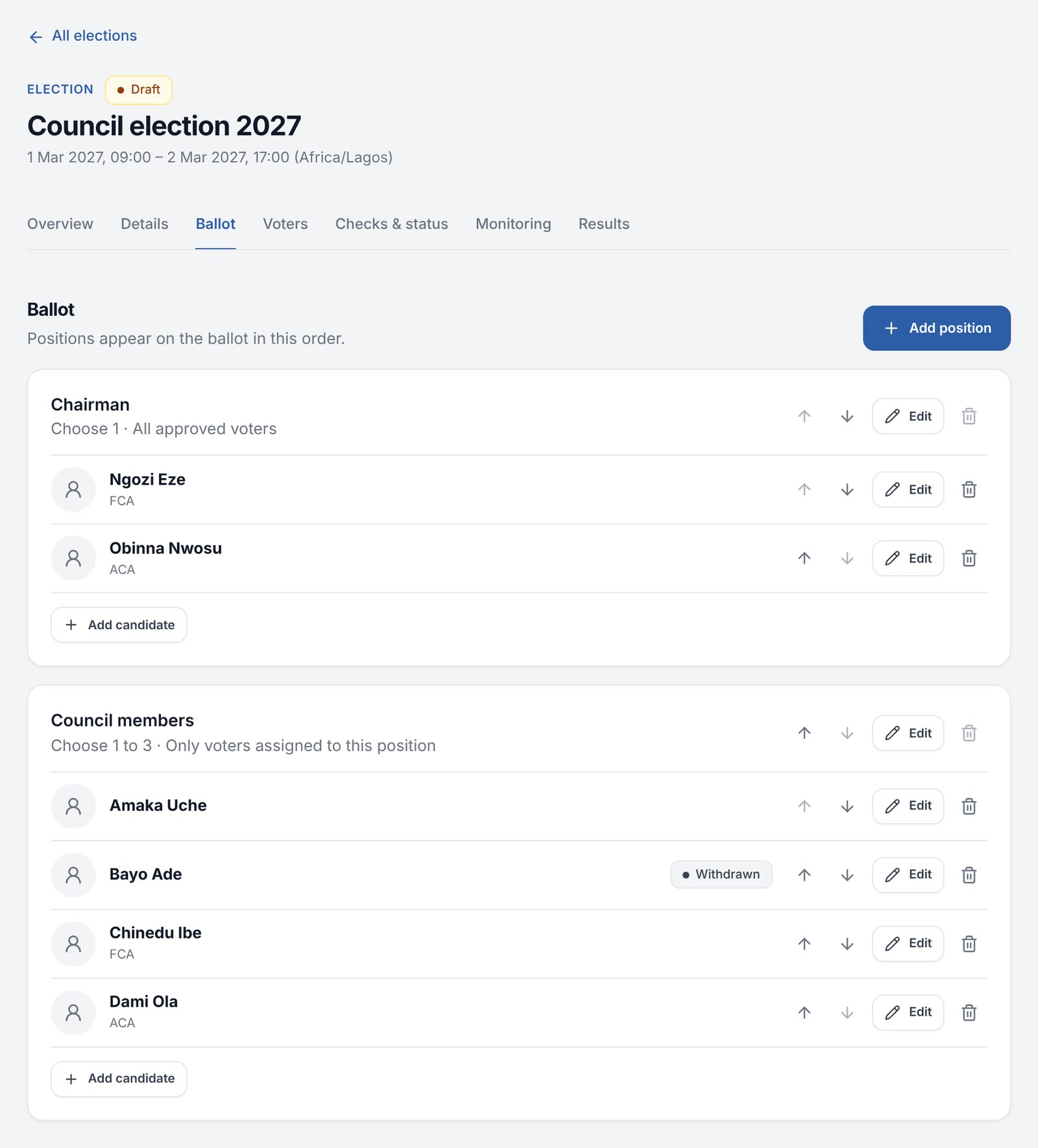
Ballot setup, shown with sample data.
Know exactly who can vote
Upload your voters from our Excel or CSV template. Every row is checked before anything is added, and you approve the final list before voting opens.
- Duplicate people and missing contact details are flagged row by row
- Add, edit or remove voters by hand
- Limit a position to the voters assigned to it, such as members of one district
- Reopening an approved list needs a reason, and is recorded

The voter list, shown with sample data.
Simple for voters, one ballot each
Voters open the election on your organisation’s website and enter the email, phone number or membership ID on the voter list. They receive a one-time code by email or text message. No account or password is needed.
- One ballot covers every position the voter can vote for
- Choices are checked against each position’s limits
- Voters review their choices before submitting
- A ballot is accepted once and can’t be changed. If a connection drops, voters can check whether it was received.


Verification and review on a phone, shown with sample data.
You decide when results are released
While voting is open, you can see how many people have verified and voted, but not how anyone voted. After you close voting, Civentra checks that every accepted ballot matches a voter who took part, then counts the votes.
- Totals stay hidden, including from administrators, until you publish them
- Pause, resume or close voting, with a recorded reason
- Ties are flagged for your organisation to resolve, never decided automatically
- Published results appear on your organisation’s website
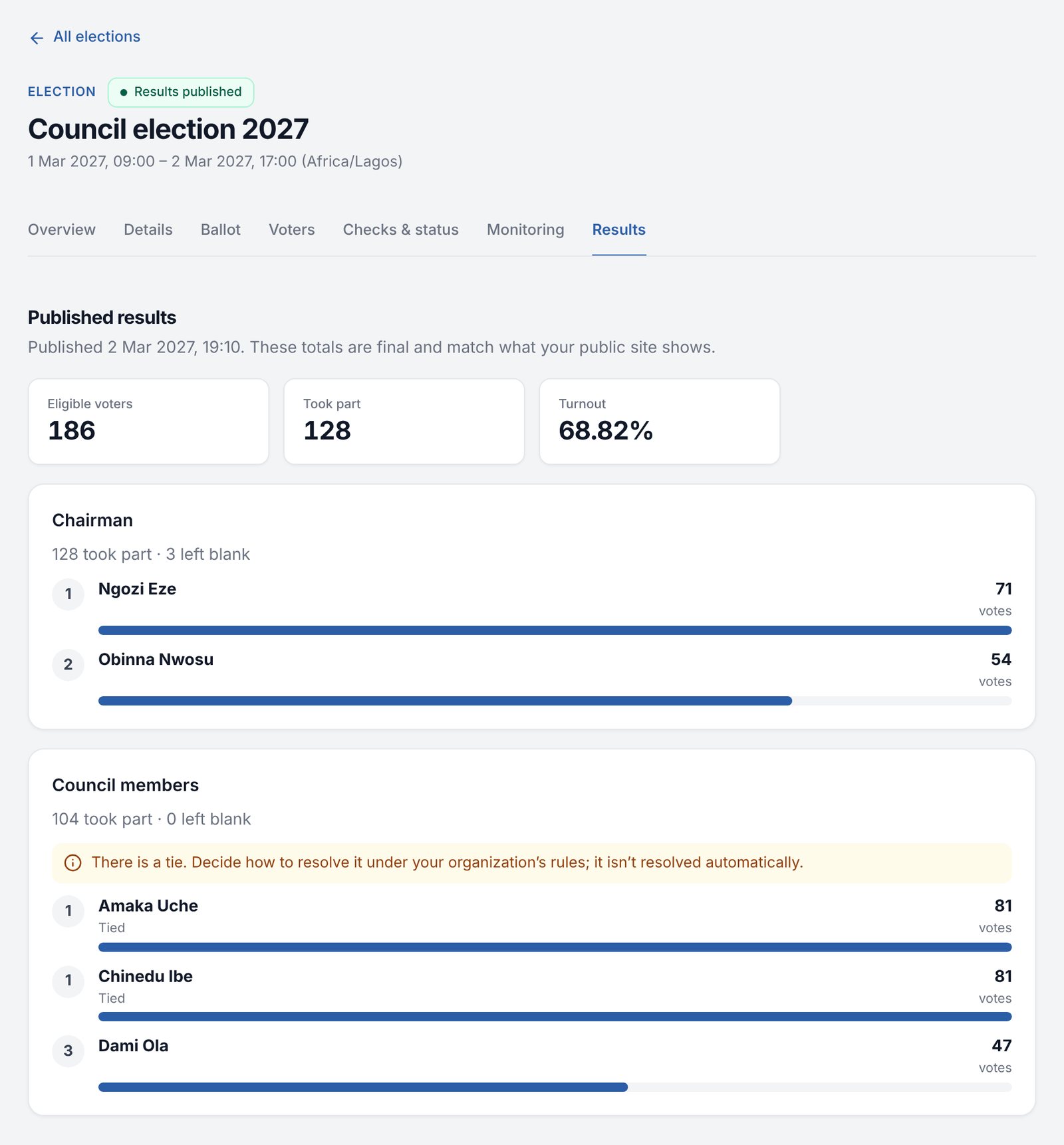
Published results, shown with sample data.
Rules that match your constitution.
Each election has its own rules. They are locked before voting opens, so they can’t change while people are voting.
Equal or weighted
- One person, one vote
- Or weighted voting, where each voter holds a set number of votes from your voter list
Choices per position
- Choose one candidate, or several up to a limit
- Set a minimum where a choice is required
Blank votes
- Allow voters to leave a position blank
- Or require a choice in every position
Who votes for what
- Positions open to every approved voter
- Or only to the voters assigned to them
Voting window
- Opening and closing times in your time zone
- Voting can only open inside the window
Ties and results
- Ties are flagged for your organisation to resolve
- Results are released only when you publish them
How ballots are kept private.
Ballots are stored separately from the record of who has voted. No screen, report or export shows an individual’s choices, only totals.
As with any secret ballot, very small groups or unusual voting weights can still make choices easier to work out from the totals. We review your setup with you before your first election.
See an election from both sides.
We’ll walk you through setting up an election and voting in it, using positions like yours.
Request a demo